

Overview / Workbench
Workbench: from Figma to a live website.
A Figma plugin and a web app that turn designs into live websites. Since 2023 I have worked across the product: the plugin and the app, the design system and its documentation, and a showcase video.
At a glance Bruno Delorence has worked on Workbench since 2023. Workbench is a design automation platform: its Figma plugin and web app help companies and designers turn designs into functional websites. His work covers the plugin’s answer to four problems designers and developers face when they publish a site (visual inconsistency, no immediate feedback, a fragmented set of tools and the demand for marketing optimization); the design system’s documentation and the clean-up of its components; a well-organized Figma file for the engineers; UX documentation for a multicultural team of Brazilian and Japanese members; and a video that shows the product with real examples.
Figma designs turned into live websites, checked before they publish
Plugin & web app · 01Components cleaned up and documented for the engineers
Design system · 02UX documentation for a team of Brazilian and Japanese members
Documentation · 03What this case covers.
Our blog
Start creating your own blog
Subscribe to learn about new product features, the latest in technology, solutions, and updates.
We care about your data in our privacy policy.
Recent blog posts
00 / The problem
Turning a design into a website still leaks.
Workbench already made it simpler to turn designs into live websites. But designers and developers still hit the same four problems every time they published a site.
- 01
The problem
Visual inconsistency
Small adjustments get lost between the Figma design and the final website, so what goes live does not fully reflect the original design.
Workbench’s answer
Consistent visual translation
- 02
The problem
No immediate feedback
A change only shows on the site after it is published: every adjustment is another round of exporting, publishing and checking, and mistakes reach the live site.
Workbench’s answer
Real-time feedback
- 03
The problem
A fragmented set of tools
With several platforms and plugins in use, designers and developers keep switching between tools, which costs productivity and the project’s cohesion.
Workbench’s answer
One workflow, inside Figma
- 04
The problem
Demand for marketing optimization
Sites need to be responsive and SEO-friendly, and follow digital marketing best practices, without extra tools to get there.
Workbench’s answer
Marketing optimization, built in
01 / Plugin & web app
Check it in Figma, before it goes live.
The Workbench plugin was designed to answer those four problems head-on: a seamless, efficient way for designers and developers to build a website without leaving their design.
Consistent visual translation
What you design is what goes live.
Figma designs are translated into live websites with pixel-perfect precision. The plugin removes the gaps between the design and the final product, so what people see online is the vision created in Figma.
Real-time feedback
See it on the web before you publish.
Workbench shows how the design will look and behave on the web while you are still in Figma, so you can review and adjust it before anything goes live, instead of finding problems after publishing.
Start with your own design
Do you already have your Figma prepared to go online? Check out our tips on how to optimize your site with Auto Layout.
Start with a template
Get started quickly using the Workbench UI Kit. We've prepared a file with Auto Layout ready for you to customize and publish online.
A new web design tool that
can replace WordPress
Join our community and learn how to use Workbench.
You do not have permission!
Access Denied: Please contact the site owner for permission to proceed.
Join our community and learn how to use Workbench.
One workflow
No more switching between tools.
Workbench works directly inside Figma and brings the whole design-to-website process into a single, cohesive workflow: more productivity, less friction.
Marketing optimization, built in
Responsive and SEO-friendly from the start.
Sites are built with marketing best practices in mind, so designers can create high-performing websites that also follow industry standards, for more visibility and engagement.
- public
- src
- 1
// Imports - 2
import mongoose, { Schema } from 'untitled' - 3
- 4
// Collection name - 5
export const collection = 'Design' - 6
- 7
// Schema - 8
const schema = new Schema({ - 9
name: { - 10
type: String, - 11
required: true - 12
}, - 13
- 14
description: { - 15
type: String - 16
} - 17
}, {timestamps: true}) - 18
- 19
// Model - 20
export default workbench.model(collection, - 21
schema, collection) - 22
- 23
- 24
- 25
- 26
- 27
- 28
Welcome back, Bruno
See now how to start using the workbench quickly and intuitively
Search 14 projects...
- WorkBench.Create a new project
- WorkBench.Create a new project
- WorkBench.Create a new project
- WorkBench.Create a new project
- WorkBench.Create a new project
- Create a new project
- WorkBench.Create a new project
- WorkBench.Create a new project
02 / Design system
A library the engineers can actually use.
The goal was a design library that Workbench’s software engineers could use and modify easily, to reach the look of the Figma design faster and more efficiently.
It kept the app’s development streamlined, so it could evolve quickly without losing the design’s integrity.
Headers
These are the main headers that will control the interface
Header 01Upgrade nowComponents clean-up
Fewer, clearer components.
The design system’s components were cleaned up and documented, so engineers could pick one, change it and still match the Figma design.
A well-organized Figma file
Efficient for design and development.
The Figma file was organized for the engineers who build from it: each flow in its own section, so they could reach the Figma design’s look faster and more efficiently.
power up your team© Workbench 2024
power up your team© Workbench 2024
power up your team© Workbench 2024
power up your team© Workbench 2024
power up your team© Workbench 2024
power up your team© Workbench 2024
power up your team© Workbench 2024
03 / UX documentation
One team, two languages, one source of truth.
Clear documentation was key to the project’s success and to everyone’s understanding, above all in a multicultural team where Brazilian and Japanese members worked together. It is what kept everyone aligned.
ユーザーはコンポーネントや完全なページを作成できるようになります。
choose from a UI Kit
10 users unique publishing 10 sites by the end of this year ( Workbench main goal )
Open workbench plugin in main screen
We need to inform users that new components or pages are available
Pages based on UI KIT
HomeBlogBlog intern page404 pageAsk for more pagesComponents ( Sections )
MenuHero SectionFigma platform
Figma platform

04 / Showcase video
Showing it work, with real examples.
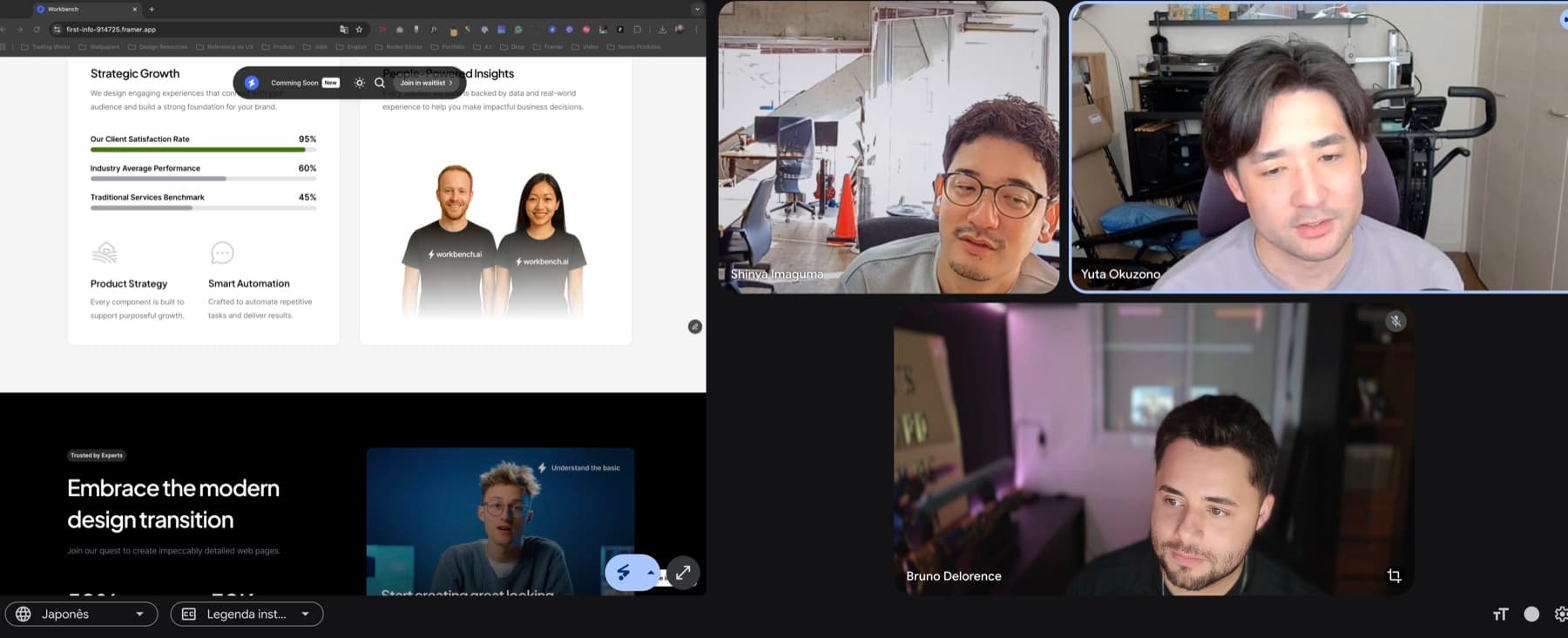
I made a video to show how Workbench simplifies turning designs into functional websites: the plugin working inside Figma, handling complex design structures while keeping accuracy and speed.
Real-world examples
From a design to a working site.
Walking through real examples shows how Workbench helps designers and developers work together more efficiently, saving time and reducing friction in the workflow.
Why a video
Seeing it builds trust.
Showing the tool at work makes what it can do clear, and helps build trust and understanding among potential users.
What Workbench says
“Bruno versatility and expertise are unmatched.”
His ability to bridge design and development with a seamless tool has streamlined our processes and saved countless hours.
It’s rare to find such a blend of creativity and technical expertise.
 YoyoChief Engineer of WorkbenchLinkedIn profile ↗︎
Still going
From a design in Figma
to a website, live.
The work on Workbench started in 2023 and is ongoing. See the product as it is today on its website.
Visit Workbench Next project · Ingate ↗︎
Start a conversation
Let’s talk about your product, your team, and where design can create the most value.
- Call duration
- 20-30 minutes
- Topic
- Design engineering
- Price
- Free