# Magic link login

> A passwordless sign-in on a phone: welcome, email with a drawn keyboard, then check your inbox.

One phone walks through a magic-link sign-in in three screens that push and pop like a navigation stack. The email field is checked for real, the drawn keyboard types into it (and so does yours), and the last screen pops an unread badge, drops a mail notification and makes Resend wait out a countdown.

A React component by Bruno Delorence: https://brunodelorence.com/components/magic-link-login. MIT License, Copyright (c) 2026 Bruno Delorence.

Category: Mobile · Inputs.

## Anatomy

1. **Status bar**: The phone’s 9:41, signal, Wi-Fi and battery, over every screen; decorative and hidden from screen readers.
2. **Back button**: Pops to the screen before, as does a drag from the left edge; its name says where it goes.
3. **Question**: The serif heading is the field’s real label, so tapping it puts the caret in the field.
4. **Email field**: A text input with the email keyboard and autofill hints; green at rest, red with a shake when refused.
5. **Hint**: Describes the field, and turns into the error message when Continue refuses the address.
6. **Continue**: Submits the form: it checks the address, spins while the link is sent, then pushes the inbox screen.
7. **Keyboard**: A drawn email keyboard that types at the caret without taking the focus; real keys light the one they match.
8. **Home indicator**: The bar at the foot of the screen, lifted 11 points while the keyboard is up.

## When to use

- A passwordless sign-in on a phone, where one email address is all you ask for and the link does the rest.
- A product people open now and then (agreements, bookings, receipts), where a forgotten password costs more than a trip to the inbox.
- Presenting or prototyping a sign-in flow end to end: welcome, address, check your inbox, with real validation and a resend wait.
- A flow that offers other ways in (passkey, security key, phone number) but leads with email.

## When not to use

- An app opened many times a day. A link per session is a chore; use passkeys or a remembered session.
- Where the inbox is on another device or often slow. Use a one-time code typed into a code input instead.
- A desktop or web form. It is drawn as a 390-point phone; on a page use a plain email field and button.
- Sign-in with a password or SSO only. Use a standard login form with its own fields and provider buttons.
- A signup that needs more than an address (name, plan, terms). Use a multi-step form; this asks for one field.

## Installation

Install it with the shadcn CLI, into components/magic-link-login of any React project:

```sh
npx shadcn@latest add https://brunodelorence.com/r/magic-link-login.json
```

Or copy all the source files below into one folder of your project. Either way it needs React 19.2 and a bundler with CSS Modules (Next.js, Vite).

It has a dark colour scheme. Its colours are CSS light-dark() pairs, kept inside @supports so that builds which rewrite light-dark() for older browsers leave them alone: it follows your page’s color-scheme (light unless the page sets one) or its colorScheme prop, with nothing to configure. Browsers without light-dark() show it light.

Copy these media files to the same paths under your public folder:

- https://brunodelorence.com/experiments/magic-link-login/welcome-3d-v1.webp
- https://brunodelorence.com/experiments/magic-link-login/inbox-3d-v1.webp

## Usage

```tsx
import { MagicLinkLogin } from './magic-link-login';

export function SignInPreview() {
  return <MagicLinkLogin autoplay={false} colorScheme="system" />;
}
```

## States

- **Welcome**: The first screen: the brand, its art, `Continue with email` and three other ways in.
- **Another way in**: A round button tapped: a pill says that way isn’t set up yet and points back to email. It fades after 2.6 s.
- **Email, empty**: Pushed in from the right with the keyboard risen; shift is on for the first letter.
- **Email, typed**: A whole address in the field and the caret after it; Continue will accept it.
- **Refused**: No domain ending: the field turns red and the hint becomes the error, read out and set as `aria-invalid`.
- **Sending**: Continue swaps its label for a spinner and is busy for 900 ms before the inbox screen.
- **Check your inbox**: The inbox screen, its unread badge popped in, with Open Mail App and Resend.
- **Resent**: Two unread, and Resend waits out its 30-second countdown before it can send again.
- **Mail notification**: Open Mail App drops a banner from the top with the address the link went to; it lifts after 4.2 s.
- **Dark**: Every colour is a light-dark() token: a deep green header and near-black sheet; the frame keeps its green.

## How it works

- The phone is drawn in CSS: a 390 × 844 screen with a 9:41 status bar and a home indicator inside a green frame. It keeps that size inside and is scaled down as a whole (a ResizeObserver works out the factor) to fit a smaller stage.
- The screens push and pop: the new one slides in from the right on an iOS-like curve over 480 ms while the one it covers drifts a third of the way left and dims. The two login screens share one header, and only the sheet under it pushes.
- From the left edge, a drag pulls the screen back by hand (the one under it follows a third as fast); let go past a third of the width, or with a flick, and it pops, otherwise it springs home.
- The field is a text input with the email keyboard and autofill hints. The drawn keyboard (letters, 123, #+=, shift, delete that repeats while held, return) types at the caret with buttons that never take the focus; each pressed letter shows its callout. Real keystrokes light the key they match, and on a touch screen the device’s own keyboard stays down.
- Continue checks the address (a local part, an @, a domain and a TLD of letters). A wrong one shakes the field with the Web Animations API and says what is wrong in red under it; a good one shows a spinner, then pushes the inbox screen, where the badge pops in on an overshoot.
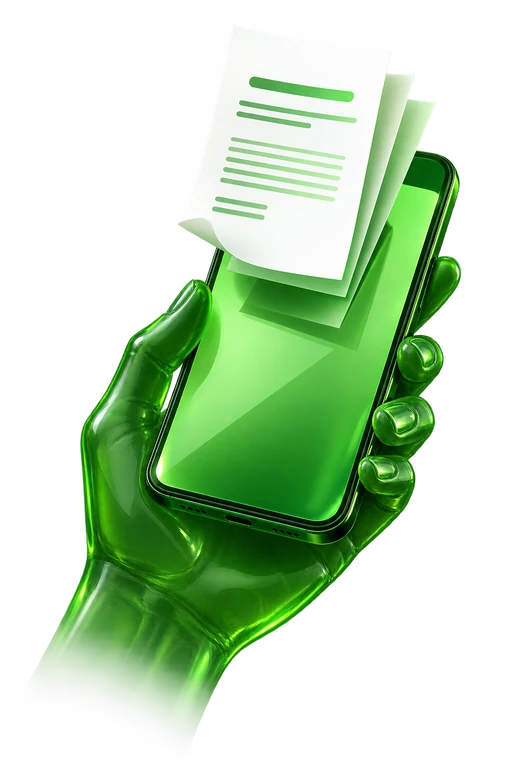
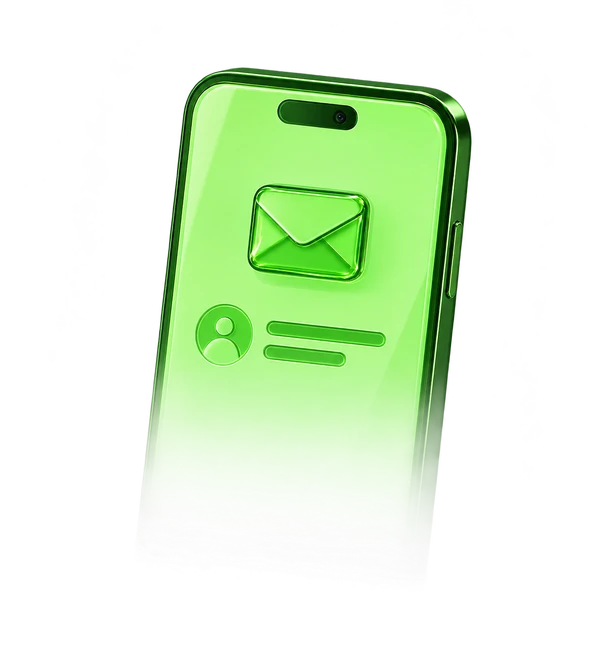
- Resend adds to the badge and counts 30 seconds down before it can send again; Open Mail App drops a notification banner from the top. The welcome and inbox use transparent raster 3D renders with dimensional green glass materials; the inbox fades through a CSS mask. The unread count and controls remain live UI.
- While on screen and untouched, a demo finger walks the whole flow: it types an address on the drawn keyboard, is turned down once, fixes it, sends, resends, opens the mail and goes back. Any real input hands the phone to the reader.

## API reference

- **autoplay** (`boolean`, default `true`): While on screen and untouched, a demo walks through the whole sign-in. Any real input hands the phone to the reader; the demo takes over again 6 s after their last one.
- **colorScheme** (`'light' | 'dark' | 'system'`): Light or dark colours, or the reader’s; without it, the page’s color-scheme.
- **className** (`string`): Classes for the stage.
- **defaultState** (`'welcome' | 'other-way' | 'email' | 'invalid' | 'sending' | 'inbox' | 'resent' | 'mail'`): Opens on this moment of the flow and holds it there: a sign-in way not set up, the email screen, a refused address, sending, the inbox, just resent (the countdown runs) or the mail notification. Turns the demo off.
- **defaultEmail** (`string`): What the field holds when it opens, and on the inbox the address the link went to. Turns the demo off.
- **onSend** (`(email: string) => void`): Called when Continue accepts the address and the link is sent.
- **onResend** (`(email: string) => void`): Called when Resend sends another link, before its 30 s wait.
- **onScreenChange** (`(screen: 'welcome' | 'email' | 'inbox') => void`): Called when the phone pushes or pops to another screen.

## Accessibility

- Each screen is a labelled section; the ones off screen are inert, so neither the Tab key nor a screen reader reaches them.
- The email field has a real label (the question above it) and is described by the hint under it, which turns into the error message; a refused address sets aria-invalid.
- Focus follows the reader: into the field on the email screen, onto the heading of the inbox screen, back to the button that came before on the way back.
- The drawn keys are buttons with spoken names (period, at, delete, shift with its pressed state), kept out of the tab order since the real keyboard types into the field directly.
- Sending, resending, the notification and refusals are announced through a polite live region; the unread count is also given in words.
- The art, the demo finger and the status bar are decorative and hidden from assistive technology.
- Under reduced motion the demo never plays, the screens switch at once, and nothing shakes, spins or blinks.

## Source

### magic-link-login/magic-link-login.tsx

```tsx
// Copyright (c) 2026 Bruno Delorence. MIT License.

'use client';

import {
  useEffect,
  useEffectEvent,
  useId,
  useLayoutEffect,
  useRef,
  useState,
  type CSSProperties,
  type FormEvent,
  type KeyboardEvent as ReactKeyboardEvent,
  type PointerEvent as ReactPointerEvent,
} from 'react';
import {
  BackArrow,
  Badge,
  Envelope,
  InboxArt,
  KeyGlyph,
  PasskeyGlyph,
  PhoneGlyph,
  ResendIcon,
  StatusIcons,
  WelcomeArt,
  Wordmark,
} from './art';
import { Keyboard, keyId, type KeyAction, type Layer } from './keyboard';
import { useAutoplay } from './use-autoplay';
import styles from './magic-link-login.module.css';

/*
 * Magic link login: a phone that walks through a passwordless sign-in in three screens. Welcome
 * ("Continue with email", or one of three other ways in), the email address, then "check your
 * inbox", with its unread badge, a button that opens the mail app and a resend link on a
 * countdown.
 *
 * - The phone is drawn in CSS: a 390 × 844 screen with its status bar and home indicator, in a
 *   green frame. It keeps that size inside and is scaled down as a whole to fit a smaller stage.
 * - Screens push and pop like a navigation stack: the next one slides in from the right while
 *   the one it covers drifts a third of the way left. From the left edge, a drag pulls the
 *   current screen back by hand, and lets it go or snaps it home depending on how far and how
 *   fast it went.
 * - The field is a text input inside a form, with the email keyboard and autofill hints (a text
 *   input, unlike an email one, keeps a caret position the drawn keys can type at). The drawn keyboard types into it at the caret
 *   (letters, 123, #+=, shift, delete with repeat, return to submit), and so does the real one,
 *   lighting the key it matches. On a touch screen the device's own keyboard stays down
 *   (inputmode none), the drawn one standing in for it.
 * - Continue checks the address for real (something@domain.tld); a wrong one shakes the field and
 *   says what is wrong under it. A good one sends, shows a spinner a moment, and pushes the inbox
 *   screen, where the badge pops in. Resend adds to the badge and waits 30 seconds before it can
 *   send again; Open Mail App drops a notification from the top of the screen.
 * - While on screen and untouched, a demo walks the whole flow: it types an address on the drawn
 *   keyboard, gets it wrong once, fixes it, sends, resends and goes back. Any real input hands the
 *   phone to the reader.
 * - Light or dark: every colour is a light-dark() token in the CSS, so the scheme is the page's
 *   color-scheme, or the one the colorScheme prop sets.
 */

type Screen = 'welcome' | 'email' | 'inbox';
/** A moment of the flow the phone can open on. */
export type MagicLinkState =
  'welcome' | 'other-way' | 'email' | 'invalid' | 'sending' | 'inbox' | 'resent' | 'mail';
const SCREEN_OF: Record<MagicLinkState, Screen> = {
  welcome: 'welcome',
  'other-way': 'welcome',
  email: 'email',
  invalid: 'email',
  sending: 'email',
  inbox: 'inbox',
  resent: 'inbox',
  mail: 'inbox',
};

/** The phone with its frame and side buttons, in px at full size. */
const DEVICE_W = 424;
const DEVICE_H = 872;
/** The screen's width: a pushed screen moves this far, the one under it a third of it. */
const SCREEN_W = 390;
/** From this close to the screen's left edge, a drag pulls the screen back. */
const EDGE = 18;
/** How long the resend link waits after sending, in seconds. */
const COOLDOWN = 30;
/** A good enough address: a local part, an @, a domain with at least one dot, a TLD of letters. */
const EMAIL =
  /^[^\s@]+@[a-z0-9](?:[a-z0-9-]*[a-z0-9])?(?:\.[a-z0-9](?:[a-z0-9-]*[a-z0-9])?)*\.[a-z]{2,}$/i;
/** What the demo types: first without its ending, which Continue turns down, then the rest. */
const DEMO_FIRST = 'Ana@meadow';
const DEMO_REST = '.studio';

/** What Continue says under the field for an address it turns down. */
const refusal = (value: string) =>
  value
    ? 'That doesn’t look like an email address. Try name@example.com.'
    : 'Enter your email address to get a link.';
const otherWay = (way: string) =>
  `${way} sign-in isn’t set up on this phone yet. Continue with email instead.`;

const wait = (ms: number, signal: AbortSignal) =>
  new Promise<void>((resolve, reject) => {
    if (signal.aborted) return reject(signal.reason);
    const timer = window.setTimeout(resolve, ms);
    signal.addEventListener(
      'abort',
      () => {
        window.clearTimeout(timer);
        reject(signal.reason);
      },
      { once: true },
    );
  });

export function MagicLinkLogin({
  autoplay = true,
  colorScheme,
  className = '',
  defaultState,
  defaultEmail,
  onSend,
  onResend,
  onScreenChange,
}: {
  /** While on screen and untouched, a demo walks through the whole sign-in. */
  autoplay?: boolean;
  /** Light or dark colours, or the reader's ('system'); without it, the page's color-scheme. */
  colorScheme?: 'light' | 'dark' | 'system';
  className?: string;
  /** Opens on this moment of the flow, held there (it turns the demo off). */
  defaultState?: MagicLinkState;
  /** What the field holds when it opens (and, on the inbox, where the link went); turns the demo off. */
  defaultEmail?: string;
  /** A link was sent to this address. */
  onSend?: (email: string) => void;
  /** Resend sent another link to this address. */
  onResend?: (email: string) => void;
  /** The phone pushed or popped to this screen. */
  onScreenChange?: (screen: 'welcome' | 'email' | 'inbox') => void;
}) {
  // The field's id, unique per instance so several phones can share a page.
  const fieldId = useId();
  const start = defaultState ?? 'welcome';
  const startScreen = SCREEN_OF[start] ?? 'welcome';
  const startEmail =
    defaultEmail ??
    (start === 'invalid'
      ? DEMO_FIRST
      : start === 'sending' || startScreen === 'inbox'
        ? DEMO_FIRST + DEMO_REST
        : '');
  const held = defaultState !== undefined || defaultEmail !== undefined;
  const { ref: root, playing, take } = useAutoplay<HTMLDivElement>(6000);
  const [scale, setScale] = useState(0.7);
  const [screen, setScreen] = useState<Screen>(startScreen);
  const [email, setEmail] = useState(startEmail);
  const [layer, setLayer] = useState<Layer>('letters');
  const [shift, setShift] = useState(startEmail.length === 0);
  const [error, setError] = useState<string | null>(
    start === 'invalid' ? refusal(startEmail.trim()) : null,
  );
  const [sending, setSending] = useState(start === 'sending');
  const [sentTo, setSentTo] = useState(startScreen === 'inbox' ? startEmail.trim() : '');
  const [unread, setUnread] = useState(start === 'resent' ? 2 : startScreen === 'inbox' ? 1 : 0);
  const [cooldown, setCooldown] = useState(start === 'resent' ? COOLDOWN : 0);
  /** Bumped on each resend, to spin the arrow once. */
  const [spin, setSpin] = useState(0);
  const [banner, setBanner] = useState(start === 'mail');
  const [notice, setNotice] = useState<string | null>(
    start === 'other-way' ? otherWay('Passkey') : null,
  );
  const [message, setMessage] = useState('');
  /** A key lit by the real keyboard or by the demo. */
  const [flash, setFlash] = useState<string | null>(null);
  /** The demo's finger: where it touches, and a count to replay the ripple. */
  const [tap, setTap] = useState<{ x: number; y: number; n: number } | null>(null);
  const [demoPress, setDemoPress] = useState<string | null>(null);
  const [focused, setFocused] = useState(false);
  const [coarse, setCoarse] = useState(false);

  const screenRef = useRef<HTMLDivElement>(null);
  const input = useRef<HTMLInputElement>(null);
  const field = useRef<HTMLDivElement>(null);
  const mirror = useRef<HTMLSpanElement>(null);
  const caret = useRef<HTMLSpanElement>(null);
  const inboxHeading = useRef<HTMLHeadingElement>(null);
  const emailButton = useRef<HTMLButtonElement>(null);
  /** Where the caret goes once a typed value has rendered. */
  const nextCaret = useRef<number | null>(null);
  /** What to focus once the screen it is on has arrived (only after the reader's own action). */
  const focusNext = useRef<'input' | 'inbox' | 'welcome' | null>(null);
  const timers = useRef(new Set<number>());
  const drag = useRef<{ id: number; x: number; t: number; dx: number } | null>(null);

  const demo = autoplay && playing && !held;

  const later = (fn: () => void, ms: number) => {
    const timer = window.setTimeout(() => {
      timers.current.delete(timer);
      fn();
    }, ms);
    timers.current.add(timer);
  };
  useEffect(() => {
    const all = timers.current;
    return () => all.forEach((timer) => window.clearTimeout(timer));
  }, []);

  /** Repeats are made to differ, so screen readers announce them again. */
  const announce = (text: string) => setMessage((now) => (now === text ? `${text} ` : text));

  // The phone keeps its 390 × 844 screen and is scaled as a whole to the stage.
  useLayoutEffect(() => {
    const element = root.current;
    if (!element) return;
    const fit = () => {
      const width = element.clientWidth;
      const height = element.clientHeight;
      setScale(Math.min(1, (width - 32) / DEVICE_W, (height - 40) / DEVICE_H));
    };
    fit();
    const observer = new ResizeObserver(fit);
    observer.observe(element);
    return () => observer.disconnect();
  }, [root]);

  useEffect(() => {
    const query = window.matchMedia('(pointer: coarse)');
    const read = () => setCoarse(query.matches);
    read();
    query.addEventListener('change', read);
    return () => query.removeEventListener('change', read);
  }, []);

  // The caret lands after what was typed; the drawn caret follows the end of the text.
  useLayoutEffect(() => {
    const field = input.current;
    if (field && nextCaret.current !== null && document.activeElement === field) {
      field.setSelectionRange(nextCaret.current, nextCaret.current);
    }
    nextCaret.current = null;
    if (mirror.current && caret.current) {
      const width = email ? Math.min(mirror.current.offsetWidth, 290) : 0;
      caret.current.style.transform = `translateX(${width}px)`;
    }
  }, [email]);

  // Focus follows the reader into each screen, once it has arrived.
  useEffect(() => {
    const target = focusNext.current;
    if (!target) return;
    focusNext.current = null;
    const element =
      target === 'input'
        ? input.current
        : target === 'inbox'
          ? inboxHeading.current
          : emailButton.current;
    element?.focus({ preventScroll: true });
  }, [screen]);

  // The resend link counts down.
  useEffect(() => {
    if (cooldown <= 0) return;
    const timer = window.setTimeout(() => setCooldown((left) => left - 1), 1000);
    return () => window.clearTimeout(timer);
  }, [cooldown]);

  const go = (next: Screen, focus = false) => {
    if (focus)
      focusNext.current = next === 'email' ? 'input' : next === 'inbox' ? 'inbox' : 'welcome';
    if (next !== screen) onScreenChange?.(next);
    setScreen(next);
    setBanner(false);
    if (next === 'email') setLayer('letters');
  };

  const back = (focus = false) => {
    if (screen === 'inbox') go('email', focus);
    else if (screen === 'email') go('welcome', focus);
  };

  const setValue = (value: string, at: number | null) => {
    nextCaret.current = at;
    setEmail(value);
    setShift(value.length === 0);
    if (error) setError(null);
  };

  /** Types `text` at the caret (or at the end, while the field is not focused). */
  const insert = (text: string) => {
    const field = input.current;
    if (field && document.activeElement === field && field.selectionStart !== null) {
      const start = field.selectionStart;
      const end = field.selectionEnd ?? start;
      setValue(email.slice(0, start) + text + email.slice(end), start + text.length);
    } else setValue(email + text, null);
  };

  const remove = () => {
    const field = input.current;
    if (field && document.activeElement === field && field.selectionStart !== null) {
      const start = field.selectionStart;
      const end = field.selectionEnd ?? start;
      if (start !== end) setValue(email.slice(0, start) + email.slice(end), start);
      else if (start > 0) setValue(email.slice(0, start - 1) + email.slice(start), start - 1);
    } else if (email) setValue(email.slice(0, -1), null);
  };

  /** Sends the link for a good address; `byReader`, focus follows to the inbox screen. */
  const submit = (byReader = false) => {
    if (sending) return;
    const value = email.trim();
    if (!EMAIL.test(value)) {
      const text = refusal(value);
      setError(text);
      announce(text);
      if (!window.matchMedia('(prefers-reduced-motion: reduce)').matches)
        field.current?.animate(
          [0, -9, 8, -6, 4, -2, 0].map((x) => ({ transform: `translateX(${x}px)` })),
          { duration: 420, easing: 'ease-out' },
        );
      return;
    }
    setSending(true);
    later(() => {
      setSending(false);
      setSentTo(value);
      setUnread(0);
      setCooldown(0);
      go('inbox', byReader);
      onSend?.(value);
      announce(`Magic link sent to ${value}. Check your inbox.`);
      later(() => setUnread(1), 620);
    }, 900);
  };

  const onKey = (action: KeyAction, byReader = false) => {
    if (sending || screen !== 'email') return;
    if (action.kind === 'char') {
      const typed = shift && layer === 'letters' ? action.value.toUpperCase() : action.value;
      insert(typed);
    } else if (action.kind === 'delete') remove();
    else if (action.kind === 'shift') setShift((on) => !on);
    else if (action.kind === 'layer') setLayer(action.to);
    else submit(byReader);
  };

  /** A drawn key pressed by the reader: the caret moves into the field first (at its end). */
  const onReaderKey = (action: KeyAction) => {
    const element = input.current;
    if (element && document.activeElement !== element) {
      element.focus({ preventScroll: true });
      element.setSelectionRange(email.length, email.length);
    }
    onKey(action, true);
  };

  const resend = () => {
    if (cooldown > 0) return;
    setCooldown(COOLDOWN);
    setSpin((n) => n + 1);
    onResend?.(sentTo);
    announce(`A new link is on its way to ${sentTo}. You can resend again in ${COOLDOWN} seconds.`);
    later(() => setUnread((n) => n + 1), 800);
  };

  const openMail = () => {
    setBanner(true);
    announce('Mail: your magic link is in your inbox.');
    later(() => setBanner(false), 4200);
  };

  const other = (way: string) => {
    const text = otherWay(way);
    setNotice(text);
    announce(text);
    later(() => setNotice((now) => (now === text ? null : now)), 2600);
  };

  // The reader's own keystrokes light the drawn key they match.
  const onFieldKeyDown = (event: ReactKeyboardEvent<HTMLInputElement>) => {
    const id =
      event.key === 'Backspace'
        ? 'delete'
        : event.key === 'Enter'
          ? 'return'
          : event.key.length === 1
            ? keyId(event.key)
            : null;
    if (!id) return;
    setFlash(id);
    later(() => setFlash((now) => (now === id ? null : now)), 140);
  };

  /* The edge drag: from the left edge, the screen follows the finger and the one under it comes
     back a third as fast; let go far or fast enough, it pops, otherwise it springs home. */
  const onEdgeDown = (event: ReactPointerEvent<HTMLDivElement>) => {
    if (screen === 'welcome' || event.button !== 0) return;
    if ((event.target as Element).closest('button, input')) return;
    const box = screenRef.current?.getBoundingClientRect();
    if (!box) return;
    const x = (event.clientX - box.left) / scale;
    if (x > EDGE) return;
    drag.current = { id: event.pointerId, x: event.clientX, t: event.timeStamp, dx: 0 };
    event.currentTarget.setPointerCapture(event.pointerId);
    event.currentTarget.dataset.dragging = '';
  };
  const onEdgeMove = (event: ReactPointerEvent<HTMLDivElement>) => {
    const state = drag.current;
    if (!state || state.id !== event.pointerId) return;
    const dx = Math.max(0, Math.min(SCREEN_W, (event.clientX - state.x) / scale));
    const speed = (dx - state.dx) / Math.max(1, event.timeStamp - state.t);
    state.dx = dx;
    state.t = event.timeStamp;
    event.currentTarget.style.setProperty('--d', `${dx}px`);
    event.currentTarget.dataset.speed = String(speed);
  };
  const onEdgeUp = (event: ReactPointerEvent<HTMLDivElement>) => {
    const state = drag.current;
    if (!state || state.id !== event.pointerId) return;
    drag.current = null;
    const element = event.currentTarget;
    const speed = Number(element.dataset.speed ?? 0);
    delete element.dataset.dragging;
    delete element.dataset.speed;
    element.style.setProperty('--d', '0px');
    if (state.dx > SCREEN_W * 0.35 || (speed > 0.45 && state.dx > 24)) back(true);
  };

  /* The demo. Each step goes through the same handlers as the reader's taps; the finger shows
     where it touches, and the key it types lights with its callout. */
  const demoTap = useEffectEvent((part: string) => {
    const box = screenRef.current;
    const element = box?.querySelector<HTMLElement>(`[data-demo="${part}"]`);
    if (!box || !element) return;
    const outer = box.getBoundingClientRect();
    const rect = element.getBoundingClientRect();
    setTap((now) => ({
      x: (rect.left + rect.width / 2 - outer.left) / scale,
      y: (rect.top + rect.height / 2 - outer.top) / scale,
      n: (now?.n ?? 0) + 1,
    }));
    setDemoPress(part);
    later(() => setDemoPress((now) => (now === part ? null : now)), 180);
  });
  const demoAct = useEffectEvent((part: string) => {
    if (part === 'continue-email') go('email');
    else if (part === 'submit') submit();
    else if (part === 'resend') resend();
    else if (part === 'open-mail') openMail();
    else if (part === 'back') back();
  });
  /** The next key toward typing `char`: a layer switch first, if it is on another layer. */
  const demoKey = useEffectEvent((char: string): KeyAction => {
    const letter = /[a-z]/i.test(char);
    if (letter && layer !== 'letters') return { kind: 'layer', to: 'letters' };
    if (!letter && layer === 'letters') return { kind: 'layer', to: 'numbers' };
    return { kind: 'char', value: char.toLowerCase() };
  });
  const demoPressKey = useEffectEvent((action: KeyAction) => {
    const id =
      action.kind === 'char'
        ? keyId(action.value)
        : action.kind === 'layer'
          ? `to-${action.to}`
          : action.kind;
    setFlash(id);
    later(() => setFlash((now) => (now === id ? null : now)), 130);
    onKey(action);
  });
  const demoReset = useEffectEvent(() => {
    if (screen !== 'welcome') go('welcome');
    setValue('', null);
    setError(null);
    setUnread(0);
    setCooldown(0);
    setNotice(null);
  });
  const demoScreen = useEffectEvent(() => screen);

  useEffect(() => {
    if (!demo) return;
    const controller = new AbortController();
    const { signal } = controller;
    const press = async (part: string, settle = 260) => {
      demoTap(part);
      await wait(150, signal);
      demoAct(part);
      await wait(settle, signal);
    };
    const type = async (text: string) => {
      for (const char of text) {
        for (;;) {
          const action = demoKey(char);
          demoPressKey(action);
          await wait(action.kind === 'char' ? 150 + Math.random() * 70 : 260, signal);
          if (action.kind === 'char') break;
        }
      }
    };
    const run = async () => {
      // Pick up wherever the reader left it: walk back to the start first.
      if (demoScreen() !== 'welcome') {
        await wait(400, signal);
        if (demoScreen() === 'inbox') await press('back', 700);
        if (demoScreen() === 'email') await press('back', 700);
      }
      for (;;) {
        demoReset();
        await wait(1500, signal);
        await press('continue-email', 900);
        await type(DEMO_FIRST);
        await wait(450, signal);
        await press('submit', 1700);
        await type(DEMO_REST);
        await wait(450, signal);
        await press('submit', 2600);
        await press('resend', 2600);
        await press('open-mail', 3400);
        await press('back', 1300);
        await press('back', 1200);
      }
    };
    run().catch(() => {});
    return () => controller.abort('stopped');
  }, [demo]);

  const valid = EMAIL.test(email.trim());

  return (
    <div
      ref={root}
      className={`${styles.root} ${className}`}
      data-color-scheme={colorScheme}
      data-part="stage"
      onPointerDownCapture={(event) => event.isTrusted && take()}
      onKeyDownCapture={(event) => event.isTrusted && take()}
    >
      <div
        className={styles.device}
        data-part="device"
        style={{ '--scale': scale } as CSSProperties}
      >
        <span className={styles.sideButtons} aria-hidden="true" />
        <div
          ref={screenRef}
          className={styles.screen}
          data-part="screen"
          data-screen={screen}
          onPointerDown={onEdgeDown}
          onPointerMove={onEdgeMove}
          onPointerUp={onEdgeUp}
          onPointerCancel={onEdgeUp}
        >
          <div className={styles.statusBar} data-part="status-bar" aria-hidden="true">
            <span className={styles.time}>9:41</span>
            <StatusIcons />
          </div>

          {/* 1. Welcome */}
          <section
            className={styles.welcome}
            data-part="welcome"
            aria-label="Welcome"
            inert={screen !== 'welcome'}
          >
            <Wordmark />
            <span className={styles.srOnly}>OVIA</span>
            <h2 className={styles.welcomeTitle}>
              Access your agreements
              <br />
              from anywhere
            </h2>
            <WelcomeArt />
            <button
              ref={emailButton}
              type="button"
              className={styles.emailButton}
              data-part="continue-email"
              data-demo="continue-email"
              data-pressed={demoPress === 'continue-email' || undefined}
              onClick={() => go('email', true)}
            >
              <Envelope />
              Continue with email
            </button>
            <div className={styles.divider} data-part="divider">
              <span>Or sign in with</span>
            </div>
            <div className={styles.providers} data-part="providers">
              <button
                type="button"
                className={styles.provider}
                aria-label="Sign in with a security key"
                onClick={() => other('Security key')}
              >
                <KeyGlyph />
              </button>
              <button
                type="button"
                className={styles.provider}
                aria-label="Sign in with a passkey"
                onClick={() => other('Passkey')}
              >
                <PasskeyGlyph />
              </button>
              <button
                type="button"
                className={styles.provider}
                aria-label="Sign in with your phone number"
                onClick={() => other('Phone number')}
              >
                <PhoneGlyph />
              </button>
            </div>
            <p className={styles.notice} data-show={notice ? '' : undefined} aria-hidden="true">
              {notice}
            </p>
          </section>

          {/* 2 and 3. Login: one header over a sheet whose two panes push in turn. */}
          <section
            className={styles.login}
            data-part="login"
            aria-label="Login"
            inert={screen === 'welcome'}
          >
            <header className={styles.loginHeader}>
              <button
                type="button"
                className={styles.back}
                data-part="back"
                data-demo="back"
                data-pressed={demoPress === 'back' || undefined}
                aria-label={screen === 'inbox' ? 'Back to your email address' : 'Back to welcome'}
                onClick={() => back(true)}
              >
                <BackArrow />
              </button>
              <span className={styles.loginTitle}>Login</span>
            </header>
            <div className={styles.sheet} data-part="sheet">
              <form
                className={styles.emailPane}
                data-part="email-pane"
                noValidate
                inert={screen !== 'email'}
                onSubmit={(event: FormEvent) => {
                  event.preventDefault();
                  submit(true);
                }}
              >
                <h3 className={styles.emailTitle} data-part="question">
                  <label htmlFor={fieldId}>What’s your email address?</label>
                </h3>
                <div
                  ref={field}
                  className={styles.field}
                  data-part="field"
                  data-invalid={error ? '' : undefined}
                  data-focused={focused || undefined}
                >
                  <input
                    ref={input}
                    id={fieldId}
                    className={styles.input}
                    type="text"
                    name="email"
                    inputMode={coarse ? 'none' : 'email'}
                    autoComplete="email"
                    autoCapitalize="none"
                    autoCorrect="off"
                    spellCheck={false}
                    placeholder="Email address"
                    value={email}
                    aria-invalid={error ? true : undefined}
                    aria-describedby="magic-link-help"
                    onChange={(event) => {
                      nextCaret.current = null;
                      setEmail(event.target.value);
                      setShift(event.target.value.length === 0);
                      if (error) setError(null);
                    }}
                    onKeyDown={onFieldKeyDown}
                    onFocus={() => setFocused(true)}
                    onBlur={() => setFocused(false)}
                  />
                  <span ref={mirror} className={styles.mirror} aria-hidden="true">
                    {email}
                  </span>
                  <span
                    ref={caret}
                    className={styles.caret}
                    aria-hidden="true"
                    data-show={(screen === 'email' && !focused) || undefined}
                  />
                </div>
                <p
                  id="magic-link-help"
                  className={styles.help}
                  data-part="help"
                  data-invalid={error ? '' : undefined}
                >
                  {error ??
                    'We’ll send a magic link to your email address that you can use to login'}
                </p>
                <button
                  type="submit"
                  className={styles.continue}
                  data-part="continue"
                  data-demo="submit"
                  data-ready={valid || undefined}
                  data-sending={sending || undefined}
                  data-pressed={demoPress === 'submit' || undefined}
                  aria-busy={sending || undefined}
                >
                  <span className={styles.continueLabel}>Continue</span>
                  <span className={styles.spinner} aria-hidden="true" />
                </button>
              </form>

              <div className={styles.inboxPane} data-part="inbox-pane" inert={screen !== 'inbox'}>
                <div className={styles.inboxArtBox}>
                  <InboxArt />
                  <span
                    key={unread}
                    className={styles.badge}
                    data-part="badge"
                    data-show={unread > 0 || undefined}
                  >
                    <Badge count={Math.max(1, unread)} />
                  </span>
                </div>
                <h3 ref={inboxHeading} className={styles.inboxTitle} tabIndex={-1}>
                  Check your inbox for the magic link
                </h3>
                <p className={styles.inboxText}>
                  Click the link in the email we
                  <br />
                  sent to login
                </p>
                <span className={styles.srOnly}>
                  {unread > 0 ? `${unread} unread ${unread === 1 ? 'email' : 'emails'}.` : ''}
                </span>
                <button
                  type="button"
                  className={styles.openMail}
                  data-part="open-mail"
                  data-demo="open-mail"
                  data-pressed={demoPress === 'open-mail' || undefined}
                  onClick={openMail}
                >
                  Open Mail App
                </button>
                <button
                  type="button"
                  className={styles.resend}
                  data-part="resend"
                  data-demo="resend"
                  data-pressed={demoPress === 'resend' || undefined}
                  aria-disabled={cooldown > 0 || undefined}
                  onClick={resend}
                >
                  <span key={spin} className={styles.resendSpin} data-spin={spin ? '' : undefined}>
                    <ResendIcon />
                  </span>
                  {cooldown > 0
                    ? `Resend in 0:${String(cooldown).padStart(2, '0')}`
                    : 'Resend Code'}
                </button>
              </div>
            </div>
            <Keyboard
              layer={layer}
              shift={shift && layer === 'letters'}
              flash={flash}
              onKey={onReaderKey}
            />
          </section>

          <button
            type="button"
            className={styles.banner}
            data-part="banner"
            data-show={banner || undefined}
            tabIndex={banner ? 0 : -1}
            aria-hidden={!banner}
            onClick={() => setBanner(false)}
          >
            <span className={styles.bannerIcon} aria-hidden="true">
              <Envelope />
            </span>
            <span className={styles.bannerText}>
              <span className={styles.bannerHead}>
                <strong>Mail</strong>
                <span>now</span>
              </span>
              <strong>Your magic link for OVIA</strong>
              <span className={styles.bannerBody}>
                Tap the link to log in as {sentTo || 'you'}. It works once, for 15 minutes.
              </span>
            </span>
          </button>

          {tap ? (
            <span
              key={tap.n}
              className={styles.tap}
              aria-hidden="true"
              style={{ left: tap.x, top: tap.y }}
            />
          ) : null}
          <span className={styles.homeIndicator} data-part="home-indicator" aria-hidden="true" />
        </div>
      </div>
      <p className={styles.srOnly} aria-live="polite">
        {message}
      </p>
    </div>
  );
}
```

### magic-link-login/keyboard.tsx

```tsx
// Copyright (c) 2026 Bruno Delorence. MIT License.

'use client';

import { useEffect, useRef, useState, type PointerEvent as ReactPointerEvent } from 'react';
import { DeleteIcon, EmojiIcon, MicIcon, ShiftIcon } from './art';
import styles from './magic-link-login.module.css';

/*
 * The drawn on-screen keyboard: letters, then numbers and punctuation (123), then symbols (#+=),
 * with shift, delete, space and return. Its keys are buttons that never take the focus (a press
 * keeps the caret in the field) and stay out of the tab order: the real keyboard types into the
 * field directly, and lights the key it matches. A pressed letter shows its callout above the
 * key; delete repeats while held.
 */

export type Layer = 'letters' | 'numbers' | 'symbols';
export type KeyAction =
  | { kind: 'char'; value: string }
  | { kind: 'shift' }
  | { kind: 'delete' }
  | { kind: 'layer'; to: Layer }
  | { kind: 'return' };

type KeyDef = { id: string; label: string; action: KeyAction; size?: 'side' | 'wide' | 'mid' };

const chars = (row: string) =>
  [...row].map((value): KeyDef => ({
    id: keyId(value),
    label: value,
    action: { kind: 'char', value },
  }));

/** The id of the key that types `value` (a letter is the same key in either case). */
export const keyId = (value: string) => `k-${value.toLowerCase()}`;

const SHIFT: KeyDef = { id: 'shift', label: 'shift', action: { kind: 'shift' }, size: 'side' };
const DELETE: KeyDef = { id: 'delete', label: 'delete', action: { kind: 'delete' }, size: 'side' };
const RETURN: KeyDef = { id: 'return', label: 'return', action: { kind: 'return' }, size: 'wide' };
const SPACE: KeyDef = { id: 'k- ', label: 'space', action: { kind: 'char', value: ' ' } };
const toLayer = (to: Layer, label: string, size: KeyDef['size']): KeyDef => ({
  id: `to-${to}`,
  label,
  action: { kind: 'layer', to },
  size,
});

const LAYOUTS: Record<Layer, KeyDef[][]> = {
  letters: [
    chars('qwertyuiop'),
    chars('asdfghjkl'),
    [SHIFT, ...chars('zxcvbnm'), DELETE],
    [toLayer('numbers', '123', 'wide'), SPACE, RETURN],
  ],
  numbers: [
    chars('1234567890'),
    chars('-/:;()$&@"'),
    [toLayer('symbols', '#+=', 'side'), ...chars(".,?!'").map(mid), DELETE],
    [toLayer('letters', 'ABC', 'wide'), SPACE, RETURN],
  ],
  symbols: [
    chars('[]{}#%^*+='),
    chars('_\\|~<>€£¥•'),
    [toLayer('numbers', '123', 'side'), ...chars(".,?!'").map(mid), DELETE],
    [toLayer('letters', 'ABC', 'wide'), SPACE, RETURN],
  ],
};
function mid(key: KeyDef): KeyDef {
  return { ...key, size: 'mid' };
}

/** What a screen reader calls a key. */
const NAMES: Record<string, string> = {
  ' ': 'space',
  '.': 'period',
  ',': 'comma',
  '@': 'at',
  '-': 'hyphen',
  _: 'underscore',
};

export function Keyboard({
  layer,
  shift,
  flash,
  onKey,
}: {
  layer: Layer;
  /** Shift is on: letters type, and read, in capitals. */
  shift: boolean;
  /** A key to show pressed a moment: one the real keyboard or the demo typed. */
  flash: string | null;
  onKey: (action: KeyAction) => void;
}) {
  const [held, setHeld] = useState<string | null>(null);
  const repeat = useRef(0);
  const stopRepeat = () => {
    window.clearTimeout(repeat.current);
    window.clearInterval(repeat.current);
    repeat.current = 0;
  };
  useEffect(() => stopRepeat, []);

  const down = (key: KeyDef) => (event: ReactPointerEvent<HTMLButtonElement>) => {
    // Keep the focus (and the caret) in the field.
    event.preventDefault();
    if (event.button !== 0) return;
    event.currentTarget.setPointerCapture?.(event.pointerId);
    setHeld(key.id);
    if (key.action.kind === 'delete') {
      stopRepeat();
      repeat.current = window.setTimeout(() => {
        repeat.current = window.setInterval(() => onKey({ kind: 'delete' }), 75);
      }, 480);
    }
  };
  const up = () => {
    setHeld(null);
    stopRepeat();
  };

  return (
    <div className={styles.keyboard} data-part="keyboard" data-layer={layer}>
      {LAYOUTS[layer].map((row, index) => (
        <div key={index} className={styles.keyRow} data-row={index}>
          {row.map((key) => {
            const isChar = key.action.kind === 'char' && key.id !== 'k- ';
            const label =
              key.action.kind === 'char' && /^[a-z]$/.test(key.label)
                ? shift
                  ? key.label.toUpperCase()
                  : key.label
                : key.label;
            const pressed = held === key.id || flash === key.id;
            const name =
              key.action.kind === 'char'
                ? (NAMES[key.label] ?? label)
                : key.action.kind === 'layer'
                  ? key.action.to === 'letters'
                    ? 'letters'
                    : key.action.to
                  : key.label;
            return (
              <button
                key={key.id}
                type="button"
                tabIndex={-1}
                className={styles.key}
                data-kind={key.action.kind}
                data-size={key.size}
                data-pressed={pressed || undefined}
                data-key={key.id}
                aria-label={name}
                aria-pressed={key.action.kind === 'shift' ? shift : undefined}
                onPointerDown={down(key)}
                onPointerUp={up}
                onPointerCancel={up}
                onLostPointerCapture={up}
                onClick={() => onKey(key.action)}
              >
                {key.action.kind === 'shift' ? (
                  <ShiftIcon on={shift} />
                ) : key.action.kind === 'delete' ? (
                  <DeleteIcon />
                ) : (
                  <span className={styles.keyLabel}>{label}</span>
                )}
                {isChar && pressed ? (
                  <span className={styles.callout} aria-hidden="true">
                    {label}
                  </span>
                ) : null}
              </button>
            );
          })}
        </div>
      ))}
      <div className={styles.keyboardFoot} aria-hidden="true">
        <EmojiIcon />
        <MicIcon />
      </div>
    </div>
  );
}
```

### magic-link-login/art.tsx

```tsx
// Copyright (c) 2026 Bruno Delorence. MIT License.

'use client';

import styles from './magic-link-login.module.css';

/* The two hero objects are transparent raster 3D renders. UI icons and the live unread
 * count stay vector so they remain crisp and respond to the flow's state. */

/** The welcome wordmark, kept as crisp live type above the rendered object. */
export function Wordmark() {
  return (
    <span className={styles.wordmark} aria-hidden="true">
      OVIA
    </span>
  );
}

/** The green glass hand, phone and floating agreement sheets, rendered in 3D. */
export function WelcomeArt() {
  return (
    <img
      className={styles.welcomeArt}
      src="/experiments/magic-link-login/welcome-3d-v1.webp"
      width={512}
      height={768}
      alt=""
      draggable={false}
      decoding="async"
    />
  );
}

/** A dimensional glass phone; its badge is a separate live count. */
export function InboxArt() {
  return (
    <img
      className={styles.inboxArt}
      src="/experiments/magic-link-login/inbox-3d-v1.webp"
      width={604}
      height={652}
      alt=""
      draggable={false}
      decoding="async"
    />
  );
}

/** The unread count on the inbox phone's corner: a coin with a slight drop under it. */
export function Badge({ count }: { count: number }) {
  return (
    <svg className={styles.badgeArt} viewBox="0 0 54 54" aria-hidden="true">
      <circle cx="28.6" cy="28.4" r="24" fill="#c98500" stroke="#111" strokeWidth="1.6" />
      <circle cx="26" cy="26" r="24" fill="#fdb903" stroke="#111" strokeWidth="1.6" />
      <text x="26" y="35.6" textAnchor="middle" className={styles.badgeDigit}>
        {count > 9 ? '9+' : count}
      </text>
    </svg>
  );
}

/** A closed envelope, the mark on "Continue with email". */
export function Envelope() {
  return (
    <svg className={styles.envelope} viewBox="0 0 20 15" aria-hidden="true">
      <rect
        x="0.7"
        y="0.7"
        width="18.6"
        height="13.6"
        rx="2.2"
        fill="#35c02f"
        stroke="#0d4a0a"
        strokeWidth="1.3"
      />
      <path
        d="M1.4 1.8 10 8.2l8.6-6.4"
        fill="#86e874"
        stroke="#0d4a0a"
        strokeWidth="1.1"
        strokeLinejoin="round"
      />
    </svg>
  );
}

/** The three other ways in, drawn as plain glyphs: a security key, a passkey, a phone. */
export function KeyGlyph() {
  return (
    <svg className={styles.providerGlyph} viewBox="0 0 24 24" aria-hidden="true">
      <circle cx="8" cy="12" r="4.6" fill="none" stroke="currentColor" strokeWidth="2.2" />
      <path
        d="M12.4 12H21.5M18.4 12v3.2M15.6 12v2.4"
        fill="none"
        stroke="currentColor"
        strokeWidth="2.2"
        strokeLinecap="round"
      />
    </svg>
  );
}
export function PasskeyGlyph() {
  return (
    <svg className={styles.providerGlyph} viewBox="0 0 24 24" aria-hidden="true">
      <circle cx="9" cy="7.4" r="4" fill="currentColor" />
      <path d="M2 20.5c0-4.2 3.1-7 7-7 1.6 0 3 .4 4.1 1.2V20.5Z" fill="currentColor" />
      <circle cx="18" cy="12.6" r="2.7" fill="none" stroke="currentColor" strokeWidth="1.9" />
      <path
        d="M18 15.3v6M18 18.4h1.9M18 20.6h1.6"
        fill="none"
        stroke="currentColor"
        strokeWidth="1.9"
        strokeLinecap="round"
      />
    </svg>
  );
}
export function PhoneGlyph() {
  return (
    <svg className={styles.providerGlyph} viewBox="0 0 24 24" aria-hidden="true">
      <rect x="6" y="1.8" width="12" height="20.4" rx="3" fill="currentColor" />
      <rect x="10" y="3.6" width="4" height="1.4" rx="0.7" fill="var(--circle)" />
      <rect x="7.8" y="6.4" width="8.4" height="11.2" rx="1" fill="var(--circle)" opacity="0.5" />
    </svg>
  );
}

export function BackArrow() {
  return (
    <svg className={styles.backIcon} viewBox="0 0 20 20" aria-hidden="true">
      <path
        d="M16.5 10H4M9.4 4.4 3.8 10l5.6 5.6"
        fill="none"
        stroke="currentColor"
        strokeWidth="2.1"
        strokeLinecap="round"
        strokeLinejoin="round"
      />
    </svg>
  );
}

export function ResendIcon() {
  return (
    <svg className={styles.resendIcon} viewBox="0 0 16 16" aria-hidden="true">
      <path
        d="M13.4 8.6A5.5 5.5 0 1 1 11.6 3.6"
        fill="none"
        stroke="currentColor"
        strokeWidth="1.7"
        strokeLinecap="round"
      />
      <path d="M9.4 1.2 13.4 2.6 11.6 6.4Z" fill="currentColor" />
    </svg>
  );
}

/** The status bar's signal, wi-fi and battery. */
export function StatusIcons() {
  return (
    <svg className={styles.statusIcons} viewBox="0 0 70 13" aria-hidden="true">
      <g fill="currentColor">
        <rect x="0" y="8" width="3.2" height="4.4" rx="0.9" />
        <rect x="4.8" y="5.8" width="3.2" height="6.6" rx="0.9" />
        <rect x="9.6" y="3.4" width="3.2" height="9" rx="0.9" />
        <rect x="14.4" y="0.8" width="3.2" height="11.6" rx="0.9" />
        <path d="M31 2.4c2.6 0 5 1 6.8 2.7l1.3-1.3A11.4 11.4 0 0 0 31 .5a11.4 11.4 0 0 0-8.1 3.3l1.3 1.3A9.6 9.6 0 0 1 31 2.4Z" />
        <path d="M31 6c1.6 0 3.1.6 4.2 1.7l1.3-1.3A7.8 7.8 0 0 0 31 4.1a7.8 7.8 0 0 0-5.5 2.3l1.3 1.3A6 6 0 0 1 31 6Z" />
        <path d="M31 12.2l2.6-2.6A3.7 3.7 0 0 0 31 8.5c-1 0-1.9.4-2.6 1.1Z" />
        <rect
          x="43.5"
          y="1"
          width="22.5"
          height="11"
          rx="3.4"
          fill="none"
          stroke="currentColor"
          strokeOpacity="0.4"
        />
        <rect x="45.4" y="2.9" width="18.7" height="7.2" rx="1.8" />
        <path d="M67.4 4.6v3.8c.8-.3 1.4-1 1.4-1.9s-.6-1.6-1.4-1.9Z" fillOpacity="0.45" />
      </g>
    </svg>
  );
}

/** The keyboard's own glyphs: shift (filled while on), delete, emoji, dictation. */
export function ShiftIcon({ on }: { on: boolean }) {
  return (
    <svg className={styles.keyIcon} viewBox="0 0 18 16" aria-hidden="true">
      <path
        d="M9 1 1.4 8.8h4.2v5.6h6.8V8.8h4.2Z"
        fill={on ? 'currentColor' : 'none'}
        stroke="currentColor"
        strokeWidth="1.4"
        strokeLinejoin="round"
      />
    </svg>
  );
}
export function DeleteIcon() {
  return (
    <svg className={styles.keyIconWide} viewBox="0 0 22 16" aria-hidden="true">
      <path
        d="M7 1.2h12a2 2 0 0 1 2 2v9.6a2 2 0 0 1-2 2H7L1 8Z"
        fill="none"
        stroke="currentColor"
        strokeWidth="1.4"
        strokeLinejoin="round"
      />
      <path d="m10.4 5 6 6m0-6-6 6" stroke="currentColor" strokeWidth="1.4" strokeLinecap="round" />
    </svg>
  );
}
export function EmojiIcon() {
  return (
    <svg className={styles.emojiIcon} viewBox="0 0 26 26" aria-hidden="true">
      <g fill="none" stroke="currentColor" strokeWidth="1.5" strokeLinecap="round">
        <circle cx="13" cy="13" r="11.6" />
        <path
          d="M7.4 15.2c1.3 2.6 3.3 3.9 5.6 3.9s4.3-1.3 5.6-3.9Z"
          fill="currentColor"
          fillOpacity="0"
        />
        <path d="M7.4 15.2h11.2" />
      </g>
      <g fill="currentColor">
        <ellipse cx="9.4" cy="10" rx="1.3" ry="1.9" />
        <ellipse cx="16.6" cy="10" rx="1.3" ry="1.9" />
      </g>
    </svg>
  );
}
export function MicIcon() {
  return (
    <svg className={styles.micIcon} viewBox="0 0 18 26" aria-hidden="true">
      <g fill="none" stroke="currentColor" strokeWidth="1.5" strokeLinecap="round">
        <rect x="5.2" y="1" width="7.6" height="15" rx="3.8" />
        <path d="M1.6 12.6c0 4.4 3.3 7.4 7.4 7.4s7.4-3 7.4-7.4M9 20v4.6M5.6 24.6h6.8" />
      </g>
    </svg>
  );
}
```

### magic-link-login/use-autoplay.ts

```tsx
'use client';

import { useCallback, useEffect, useRef, useState } from 'react';

/*
 * When a demo may play on its own: while part of it is on screen and the tab is visible, never
 * under reduced motion, and not while the reader is using it. `take()` hands it to the reader; it
 * takes back over `idle` ms after their last input.
 */
export function useAutoplay<T extends HTMLElement>(idle = 6000) {
  const ref = useRef<T>(null);
  const [visible, setVisible] = useState(false);
  const [reduced, setReduced] = useState(true);
  const [taken, setTaken] = useState(false);
  const timer = useRef(0);

  useEffect(() => {
    const element = ref.current;
    if (!element) return;
    let onScreen = false;
    const update = () => setVisible(onScreen && !document.hidden);
    const observer = new IntersectionObserver(
      ([entry]) => {
        onScreen = entry.isIntersecting;
        update();
      },
      { threshold: 0.3 },
    );
    observer.observe(element);
    document.addEventListener('visibilitychange', update);
    const motion = window.matchMedia('(prefers-reduced-motion: reduce)');
    const readMotion = () => setReduced(motion.matches);
    readMotion();
    motion.addEventListener('change', readMotion);
    return () => {
      observer.disconnect();
      document.removeEventListener('visibilitychange', update);
      motion.removeEventListener('change', readMotion);
    };
  }, []);

  const take = useCallback(() => {
    setTaken(true);
    window.clearTimeout(timer.current);
    timer.current = window.setTimeout(() => setTaken(false), idle);
  }, [idle]);
  useEffect(() => () => window.clearTimeout(timer.current), []);

  return { ref, take, playing: visible && !reduced && !taken };
}
```

### magic-link-login/magic-link-login.module.css

```css
/* Magic link login (magic-link-login.tsx): a quiet stage with a phone in its middle. The phone's
   screen is 390 × 844 and every size inside it is in its own points (px); the whole phone is
   scaled down, never re-laid out, to fit a smaller stage.

   Colours are the tokens below, light-dark(light, dark) where the two differ: the component takes
   the color-scheme it inherits from the page (light unless the page says otherwise), or the one
   its colorScheme prop sets (data-color-scheme). The art and the phone's green frame keep their
   own colours on both.

   Motion. Screens push and pop by transforms on the same iOS-like curve; the keyboard rises and
   falls with them; the badge pops on a small overshoot. Under reduced motion, everything
   switches at once and nothing shakes or spins. */

.root {
  /* The stage. */
  --stage: #fff;
  /* Welcome: a vertical green gradient, its wordmark and its words. */
  --welcome-top: #75e06c;
  --welcome-bottom: #cbff8b;
  --brand: #1d6b18;
  --ink: #0a0a0a;
  --ink-2: #111;
  /* The white button and the round ones on the welcome, and their lift. */
  --surface: #fff;
  --surface-shadow: rgb(30 90 10 / 0.16);
  --rule: rgb(40 120 20 / 0.28);
  /* The login header and the sheet over it. */
  --header-top: #75e06c;
  --header-bottom: #6fd266;
  --header-ink: #0a0a0a;
  --back-fill: rgb(0 50 0 / 0.08);
  --back-edge: rgb(0 60 0 / 0.14);
  --sheet: #fff;
  --muted: #6b6e73;
  --placeholder: #a7aaaf;
  /* The field, at rest, focused and refused. */
  --field: #fff;
  --field-edge: #5fc657;
  --field-glow: rgb(95 198 87 / 0.28);
  --danger: #d63a2f;
  --danger-glow: rgb(214 58 47 / 0.2);
  --caret: #111;
  /* The call to action, and the quiet grey button. */
  --cta: #154f12;
  --cta-edge: #0b2f09;
  --cta-ink: #c2ff02;
  --quiet: #e9eaec;
  --quiet-edge: #dcdde0;
  /* The keyboard. */
  --kb: #d1d3d9;
  --key: #fff;
  --key-alt: #acb0bd;
  --key-ink: #000;
  --key-shadow: #898a8d;
  /* The notification banner and the notice pill. */
  --banner: rgb(246 246 246 / 0.92);
  --banner-ink: #111;
  --notice: rgb(16 40 14 / 0.9);
  --notice-ink: #f4fff0;
  --home: #000;
  /* The same on both schemes: focus ring, demo finger, the phone's frame. */
  --focus: #387bff;
  --finger: rgb(20 20 20 / 0.22);
  --frame: #174e13;
  --frame-rim: #3eb533;
  --frame-inner: #4b9442;
  --sans:
    -apple-system, BlinkMacSystemFont, 'SF Pro Text', 'Helvetica Neue', 'Segoe UI', Roboto, Arial,
    sans-serif;
  --serif: 'Iowan Old Style', Georgia, 'Times New Roman', serif;
  --ease: cubic-bezier(0.32, 0.72, 0, 1);
  --push: 480ms;
  position: relative;
  container-type: inline-size;
  contain: layout;
  width: 100%;
  aspect-ratio: 6 / 5;
  min-height: 640px;
  max-height: 920px;
  overflow: hidden;
  overflow: clip;
  border-radius: 18px;
  background: var(--stage);
  color: var(--ink);
  font-family: var(--sans);
  -webkit-tap-highlight-color: transparent;
  -webkit-font-smoothing: antialiased;
}
@supports (color: light-dark(#fff, #000)) {
  .root {
    --stage: light-dark(#fff, #0e100f);
    --welcome-top: light-dark(#75e06c, #1f5c19);
    --welcome-bottom: light-dark(#cbff8b, #3c6e1c);
    --brand: light-dark(#1d6b18, #b8f59f);
    --ink: light-dark(#0a0a0a, #f2f6f0);
    --ink-2: light-dark(#111, #eef3ec);
    --surface: light-dark(#fff, #152014);
    --surface-shadow: light-dark(rgb(30 90 10 / 0.16), rgb(0 0 0 / 0.4));
    --rule: light-dark(rgb(40 120 20 / 0.28), rgb(200 255 180 / 0.22));
    --header-top: light-dark(#75e06c, #1f5c19);
    --header-bottom: light-dark(#6fd266, #1b5216);
    --header-ink: light-dark(#0a0a0a, #f2f6f0);
    --back-fill: light-dark(rgb(0 50 0 / 0.08), rgb(255 255 255 / 0.1));
    --back-edge: light-dark(rgb(0 60 0 / 0.14), rgb(255 255 255 / 0.14));
    --sheet: light-dark(#fff, #111412);
    --muted: light-dark(#6b6e73, #9ba19c);
    --placeholder: light-dark(#a7aaaf, #686e69);
    --field: light-dark(#fff, #171b18);
    --field-edge: light-dark(#5fc657, #4caf45);
    --field-glow: light-dark(rgb(95 198 87 / 0.28), rgb(76 175 69 / 0.3));
    --danger: light-dark(#d63a2f, #ff6b5f);
    --danger-glow: light-dark(rgb(214 58 47 / 0.2), rgb(255 107 95 / 0.25));
    --caret: light-dark(#111, #eef3ec);
    --cta: light-dark(#154f12, #1f6b19);
    --cta-edge: light-dark(#0b2f09, #0b2f09);
    --quiet: light-dark(#e9eaec, #222624);
    --quiet-edge: light-dark(#dcdde0, #2e3330);
    --kb: light-dark(#d1d3d9, #2b2c2e);
    --key: light-dark(#fff, #6b6b6d);
    --key-alt: light-dark(#acb0bd, #464648);
    --key-ink: light-dark(#000, #fff);
    --key-shadow: light-dark(#898a8d, #0c0c0c);
    --banner: light-dark(rgb(246 246 246 / 0.92), rgb(44 46 45 / 0.92));
    --banner-ink: light-dark(#111, #f2f6f0);
    --notice: light-dark(rgb(16 40 14 / 0.9), rgb(232 255 222 / 0.94));
    --notice-ink: light-dark(#f4fff0, #10280e);
    --home: light-dark(#000, #fff);
  }
}
/* The colorScheme prop. Without it, nothing is set: color-scheme is inherited from the page. */
.root[data-color-scheme='light'] {
  color-scheme: light;
}
.root[data-color-scheme='dark'] {
  color-scheme: dark;
}
.root[data-color-scheme='system'] {
  color-scheme: light dark;
}

.root :where(button) {
  font: inherit;
  color: inherit;
  cursor: pointer;
  touch-action: manipulation;
}
.root :focus-visible {
  outline: 2px solid var(--focus);
  outline-offset: 2px;
}
.srOnly {
  position: absolute;
  width: 1px;
  height: 1px;
  margin: -1px;
  overflow: hidden;
  clip-path: inset(50%);
  white-space: nowrap;
}

/* The phone: a green frame around the screen, its side buttons, scaled to the stage. */
.device {
  position: absolute;
  left: 50%;
  top: 50%;
  width: 418px;
  height: 872px;
  margin: -436px 0 0 -209px;
  padding: 14px;
  border-radius: 63px;
  background: var(--frame);
  box-shadow:
    inset 0 0 0 1.5px var(--frame-rim),
    inset 0 0 0 3px #145010,
    0 40px 80px -30px rgb(10 50 10 / 0.35);
  transform: scale(var(--scale, 0.7));
  transform-origin: 50% 50%;
}
.sideButtons::before,
.sideButtons::after {
  content: '';
  position: absolute;
  width: 3px;
  border-radius: 2px;
  background: var(--frame);
}
.sideButtons::before {
  left: -2.5px;
  top: 214px;
  height: 64px;
  box-shadow: 0 78px 0 var(--frame);
}
.sideButtons::after {
  right: -2.5px;
  top: 222px;
  height: 104px;
}
.screen {
  --d: 0px;
  position: relative;
  width: 390px;
  height: 844px;
  overflow: hidden;
  overflow: clip;
  border-radius: 49px;
  background: var(--sheet);
  box-shadow: 0 0 0 1px var(--frame-inner);
  isolation: isolate;
  touch-action: pan-y;
  user-select: none;
  -webkit-user-select: none;
}

/* The status bar, over every screen. */
.statusBar {
  position: absolute;
  inset: 0 0 auto;
  z-index: 5;
  height: 54px;
  color: var(--ink);
  pointer-events: none;
}
.time {
  position: absolute;
  left: 32px;
  top: 19px;
  font-size: 16.5px;
  font-weight: 600;
  line-height: 22px;
  letter-spacing: -0.2px;
}
.statusIcons {
  position: absolute;
  right: 12px;
  top: 23.5px;
  width: 70px;
  height: 13px;
}
.homeIndicator {
  position: absolute;
  left: 125px;
  top: 833px;
  z-index: 5;
  width: 140px;
  height: 5px;
  border-radius: 3px;
  background: var(--home);
  pointer-events: none;
  transition: transform var(--push) var(--ease);
}
.screen[data-screen='email'] .homeIndicator {
  transform: translateY(-11px);
}

/* The push and pop. */
.welcome,
.login,
.emailPane,
.inboxPane,
.keyboard {
  transition: transform var(--push) var(--ease);
}
.screen[data-dragging] .welcome,
.screen[data-dragging] .login,
.screen[data-dragging] .emailPane,
.screen[data-dragging] .inboxPane {
  transition: none;
}

/* 1. Welcome */
.welcome {
  position: absolute;
  inset: 0;
  background: linear-gradient(var(--welcome-top) 23.7%, var(--welcome-bottom));
}
.welcome::after {
  content: '';
  position: absolute;
  inset: 0;
  background: #000;
  opacity: 0;
  pointer-events: none;
  transition: opacity var(--push) var(--ease);
}
.screen:not([data-screen='welcome']) .welcome {
  transform: translateX(calc(-117px + var(--d) * 0.3));
}
.screen:not([data-screen='welcome']) .welcome::after {
  opacity: 0.12;
}
.wordmark {
  position: absolute;
  left: 160.5px;
  top: 66.4px;
  width: 69px;
  height: 20px;
  color: var(--brand);
  font: italic 24px/20px var(--sans);
  font-weight: 300;
  letter-spacing: -1.6px;
  text-align: center;
}
.welcomeTitle {
  position: absolute;
  left: 0;
  right: 7px;
  top: 116px;
  margin: 0;
  font-family: var(--serif);
  font-size: 26.4px;
  font-weight: 400;
  line-height: 30px;
  letter-spacing: 0;
  -webkit-text-stroke: 0.35px currentColor;
  text-align: center;
  color: var(--ink);
}
.welcomeArt {
  position: absolute;
  left: 112px;
  top: 196px;
  width: 210px;
  height: 370px;
  overflow: visible;
  object-fit: contain;
  pointer-events: none;
}
.docTitle {
  font-family: var(--serif);
  font-size: 5.6px;
  font-weight: 600;
  fill: #0c3a09;
}
.docFigure {
  font-family: var(--serif);
  font-size: 8.4px;
  font-weight: 700;
  fill: #0c3a09;
}
.docLabel {
  font-family: var(--serif);
  font-size: 5px;
  font-weight: 700;
  fill: #0c3a09;
}
.emailButton {
  position: absolute;
  left: 24px;
  top: 578px;
  width: 342px;
  height: 60px;
  display: flex;
  align-items: center;
  justify-content: center;
  gap: 12px;
  padding: 0 0 0 2px;
  border: 0;
  border-radius: 16px;
  background: var(--surface);
  color: var(--ink);
  font-size: 17px;
  font-weight: 600;
  letter-spacing: -0.1px;
  box-shadow: 0 1px 2px var(--surface-shadow);
  transition:
    transform 160ms ease-out,
    filter 160ms ease-out;
}
.envelope {
  width: 20px;
  height: 15px;
  flex: none;
}
.divider {
  position: absolute;
  left: 24px;
  right: 24px;
  top: 660px;
  height: 20px;
  display: flex;
  align-items: center;
  gap: 8px;
  font-size: 14px;
  font-weight: 600;
  letter-spacing: -0.2px;
  text-transform: uppercase;
  color: var(--ink-2);
}
.divider::before,
.divider::after {
  content: '';
  flex: 1;
  height: 1px;
  background: var(--rule);
}
.providers {
  position: absolute;
  left: 0;
  right: 0;
  top: 700px;
  display: flex;
  justify-content: center;
  gap: 43.5px;
}
.provider {
  --circle: var(--surface);
  width: 61px;
  height: 61px;
  display: grid;
  place-items: center;
  padding: 0;
  border: 0;
  border-radius: 50%;
  background: var(--circle);
  color: var(--ink);
  box-shadow: 0 1px 3px var(--surface-shadow);
  transition: transform 160ms ease-out;
}
.providerGlyph {
  width: 22px;
  height: 22px;
}
.notice {
  position: absolute;
  left: 34px;
  right: 34px;
  top: 520px;
  margin: 0;
  padding: 9px 14px;
  border-radius: 14px;
  background: var(--notice);
  color: var(--notice-ink);
  font-size: 13px;
  line-height: 17px;
  text-align: center;
  opacity: 0;
  transform: translateY(8px);
  pointer-events: none;
  transition:
    opacity 220ms ease-out,
    transform 320ms var(--ease);
}
.notice[data-show] {
  opacity: 1;
  transform: none;
}

/* 2 and 3. The login header, the sheet and its panes. */
.login {
  position: absolute;
  inset: 0;
  background: linear-gradient(var(--header-top) 40px, var(--header-bottom) 109px);
  box-shadow: -12px 0 32px rgb(0 0 0 / 0.12);
  transform: translateX(390px);
}
.screen[data-screen='email'] .login {
  transform: translateX(var(--d));
}
.screen[data-screen='inbox'] .login {
  transform: none;
}
.loginHeader {
  position: absolute;
  inset: 0 0 auto;
  height: 109px;
}
.back {
  position: absolute;
  left: 19px;
  top: 57px;
  width: 38px;
  height: 38px;
  display: grid;
  place-items: center;
  padding: 0;
  border: 1px solid var(--back-edge);
  border-radius: 50%;
  background: var(--back-fill);
  color: var(--header-ink);
  transition: transform 160ms ease-out;
}
.backIcon {
  width: 19px;
  height: 19px;
}
.loginTitle {
  position: absolute;
  left: 100px;
  right: 100px;
  top: 66px;
  font-size: 17px;
  font-weight: 600;
  line-height: 22px;
  letter-spacing: -0.3px;
  text-align: center;
  color: var(--header-ink);
}
.sheet {
  position: absolute;
  inset: 109px 0 0;
  overflow: hidden;
  overflow: clip;
  border-radius: 16px 16px 0 0;
  background: var(--sheet);
  box-shadow: 0 -4px 14px rgb(20 90 10 / 0.12);
}
.emailPane,
.inboxPane {
  position: absolute;
  inset: 0;
  margin: 0;
  background: var(--sheet);
}
.screen[data-screen='inbox'] .emailPane {
  transform: translateX(calc(-117px + var(--d) * 0.3));
}
.inboxPane {
  transform: translateX(390px);
  box-shadow: -12px 0 32px rgb(0 0 0 / 0.08);
}
.screen[data-screen='inbox'] .inboxPane {
  transform: translateX(var(--d));
}

/* The email pane. */
.emailTitle {
  position: absolute;
  left: 24px;
  right: 16px;
  top: 32px;
  margin: 0;
  font-family: var(--serif);
  font-size: 21.7px;
  font-weight: 400;
  line-height: 28px;
  letter-spacing: 0;
  -webkit-text-stroke: 0.3px currentColor;
  color: var(--ink);
}
.emailTitle label {
  cursor: text;
}
.field {
  position: absolute;
  left: 24px;
  top: 76px;
  width: 342px;
  height: 58px;
  border: 1px solid var(--field-edge);
  border-radius: 12px;
  background: var(--field);
  box-shadow: 0 0 0 1px var(--field-glow);
  transition:
    border-color 160ms ease-out,
    box-shadow 160ms ease-out;
}
.field[data-focused] {
  box-shadow: 0 0 0 3px var(--field-glow);
}
.field[data-invalid] {
  border-color: var(--danger);
  box-shadow: 0 0 0 3px var(--danger-glow);
}
.input {
  position: absolute;
  inset: 0;
  width: 100%;
  padding: 0 22px 0 25px;
  border: 0;
  border-radius: 11px;
  background: transparent;
  color: var(--ink);
  font: 400 17px/22px var(--sans);
  letter-spacing: -0.2px;
  caret-color: var(--caret);
  user-select: text;
  -webkit-user-select: text;
}
.input::placeholder {
  color: var(--placeholder);
  opacity: 1;
}
.input:focus,
.input:focus-visible {
  outline: none;
}
.mirror {
  position: absolute;
  left: 25px;
  top: 0;
  visibility: hidden;
  white-space: pre;
  font: 400 17px/22px var(--sans);
  letter-spacing: -0.2px;
}
.caret {
  position: absolute;
  left: 23.8px;
  top: 18px;
  width: 1.5px;
  height: 21px;
  border-radius: 1px;
  background: var(--caret);
  opacity: 0;
}
.caret[data-show] {
  animation: blink 1.05s steps(1, end) infinite;
}
@keyframes blink {
  0%,
  55% {
    opacity: 1;
  }
  56%,
  100% {
    opacity: 0;
  }
}
.help {
  position: absolute;
  left: 24px;
  right: 22px;
  top: 152px;
  margin: 0;
  font-size: 14.9px;
  line-height: 18px;
  letter-spacing: -0.15px;
  color: var(--muted);
}
.help[data-invalid] {
  color: var(--danger);
}
.continue {
  position: absolute;
  left: 24px;
  top: 369px;
  width: 342px;
  height: 61px;
  display: grid;
  place-items: center;
  padding: 0;
  border: 0;
  border-radius: 16px;
  background: var(--cta);
  color: var(--cta-ink);
  font-size: 17px;
  font-weight: 600;
  letter-spacing: -0.3px;
  box-shadow:
    inset 0 -1.5px 0 var(--cta-edge),
    0 1px 1px rgb(0 0 0 / 0.12);
  transition:
    transform 160ms ease-out,
    filter 160ms ease-out;
}
.continueLabel,
.spinner {
  grid-area: 1 / 1;
  transition: opacity 160ms ease-out;
}
.spinner {
  width: 22px;
  height: 22px;
  border: 2.5px solid currentColor;
  border-right-color: transparent;
  border-radius: 50%;
  opacity: 0;
}
.continue[data-sending] .continueLabel {
  opacity: 0;
}
.continue[data-sending] .spinner {
  opacity: 1;
  animation: spin 0.7s linear infinite;
}
@keyframes spin {
  to {
    transform: rotate(1turn);
  }
}

/* The keyboard, which rises with the email pane. */
.keyboard {
  position: absolute;
  left: 0;
  right: 0;
  bottom: 0;
  height: 287px;
  background: var(--kb);
  color: var(--key-ink);
  transform: translateY(100%);
}
.screen[data-screen='email'] .keyboard {
  transform: none;
}
.keyRow {
  position: absolute;
  left: 0;
  right: 0;
  height: 40px;
  display: flex;
  justify-content: center;
  gap: 5.6px;
  padding: 0 11px;
}
.keyRow[data-row='0'] {
  top: 10px;
}
.keyRow[data-row='1'] {
  top: 61.5px;
}
.keyRow[data-row='2'] {
  top: 112.8px;
}
.keyRow[data-row='3'] {
  top: 164px;
  gap: 6px;
}
.key {
  position: relative;
  flex: 0 0 31.8px;
  height: 40px;
  display: grid;
  place-items: center;
  padding: 0;
  border: 0;
  border-radius: 5px;
  background: var(--key);
  box-shadow: 0 1px 0 var(--key-shadow);
  padding-bottom: 2px;
  font-size: 21px;
  line-height: 1;
  font-weight: 400;
}
.root .key {
  color: var(--key-ink);
}
.key[data-size='side'] {
  flex-basis: 40px;
  background: var(--key-alt);
}
.key[data-size='side']:first-child {
  margin-right: 10.2px;
}
.key[data-size='side']:last-child {
  margin-left: 9.4px;
}
.key[data-size='mid'] {
  flex-basis: 47px;
}
.key[data-size='wide'] {
  flex-basis: 86.2px;
  background: var(--key-alt);
}
.key[data-kind='char'][data-key='k- '] {
  flex: 1 1 auto;
}
.key[data-kind='shift'][aria-pressed='true'] {
  background: var(--key);
}
.key[data-pressed] {
  background: var(--key-alt);
}
.key[data-size][data-pressed],
.key[data-kind='shift'][data-pressed] {
  background: var(--key);
}
.keyRow[data-row='3'] .keyLabel,
.key[data-kind='layer'] .keyLabel {
  font-size: 16px;
  letter-spacing: -0.2px;
}
.keyIcon {
  width: 18px;
  height: 16px;
}
.keyIconWide {
  width: 22px;
  height: 16px;
}
.callout {
  position: absolute;
  left: -9px;
  right: -9px;
  bottom: calc(100% + 2px);
  height: 52px;
  display: grid;
  place-items: center;
  border-radius: 9px;
  background: var(--key);
  box-shadow:
    0 0 0 0.5px rgb(0 0 0 / 0.12),
    0 4px 10px rgb(0 0 0 / 0.18);
  font-size: 32px;
  pointer-events: none;
}
.keyboardFoot {
  position: absolute;
  left: 36.5px;
  right: 39.5px;
  top: 226px;
  display: flex;
  justify-content: space-between;
  color: #50535a;
}
@supports (color: light-dark(#fff, #000)) {
  .keyboardFoot {
    color: light-dark(#50535a, #c9cbd0);
  }
}
.emojiIcon {
  width: 25px;
  height: 25px;
}
.micIcon {
  width: 17px;
  height: 25px;
}

/* The inbox pane. */
.inboxArtBox {
  position: absolute;
  left: 110px;
  top: 141px;
  width: 190px;
  height: 160px;
}
.inboxArt {
  position: relative;
  left: -32px;
  top: -18px;
  width: 253px;
  height: 274px;
  object-fit: cover;
  object-position: center top;
  mask-image: linear-gradient(#000 35%, transparent 65%);
  pointer-events: none;
}
.badge {
  position: absolute;
  left: 130.9px;
  top: 2.8px;
  width: 54px;
  height: 54px;
  opacity: 0;
  transform: scale(0.3);
}
.badge[data-show] {
  animation: pop 520ms cubic-bezier(0.3, 1.6, 0.5, 1) both;
}
@keyframes pop {
  from {
    opacity: 0;
    transform: scale(0.3);
  }
  to {
    opacity: 1;
    transform: none;
  }
}
.badgeArt {
  width: 54px;
  height: 54px;
}
.badgeDigit {
  font-family: var(--sans);
  font-size: 26px;
  font-weight: 500;
  fill: #111;
}
.inboxTitle {
  position: absolute;
  left: 50px;
  right: 50px;
  top: 322px;
  margin: 0;
  font-family: var(--serif);
  font-size: 21.6px;
  font-weight: 400;
  line-height: 25.3px;
  letter-spacing: 0;
  -webkit-text-stroke: 0.3px currentColor;
  text-align: center;
  color: var(--ink);
}
.inboxTitle:focus {
  outline: none;
}
.inboxText {
  position: absolute;
  left: 30px;
  right: 30px;
  top: 381px;
  margin: 0;
  font-size: 14.5px;
  line-height: 18px;
  letter-spacing: -0.15px;
  text-align: center;
  color: var(--muted);
}
.openMail {
  position: absolute;
  left: 24px;
  top: 572px;
  width: 342px;
  height: 60px;
  padding: 0;
  border: 0;
  border-radius: 16px;
  background: var(--quiet);
  box-shadow:
    inset 0 -1px 0 var(--quiet-edge),
    0 1px 1px rgb(0 0 0 / 0.04);
  font-size: 17px;
  font-weight: 600;
  letter-spacing: -0.3px;
  transition:
    transform 160ms ease-out,
    filter 160ms ease-out;
}
.root .openMail,
.root .resend,
.root .emailButton {
  color: var(--ink);
}
.root .continue {
  color: var(--cta-ink);
}
.resend {
  position: absolute;
  left: 95px;
  right: 95px;
  top: 652px;
  height: 28px;
  display: flex;
  align-items: center;
  justify-content: center;
  gap: 8px;
  padding: 0;
  border: 0;
  border-radius: 14px;
  background: none;
  font-size: 16px;
  font-weight: 600;
  letter-spacing: -0.3px;
  font-variant-numeric: tabular-nums;
}
.resend[aria-disabled] {
  cursor: default;
}
.root .resend[aria-disabled] {
  color: var(--muted);
}
.resendSpin {
  display: grid;
}
.resendSpin[data-spin] {
  animation: turn 600ms var(--ease);
}
@keyframes turn {
  from {
    transform: rotate(-1turn);
  }
}
.resendIcon {
  width: 15px;
  height: 15px;
}

/* Presses: the reader's (:active) and the demo's (data-pressed). */
.emailButton:active,
.emailButton[data-pressed],
.openMail:active,
.openMail[data-pressed],
.continue:active,
.continue[data-pressed] {
  transform: scale(0.97);
  filter: brightness(0.94);
}
.provider:active,
.back:active,
.back[data-pressed] {
  transform: scale(0.92);
}
.resend:not([aria-disabled]):active,
.resend[data-pressed] {
  opacity: 0.55;
}

/* The notification banner from the top of the screen. */
.banner {
  position: absolute;
  left: 8px;
  right: 8px;
  top: 50px;
  z-index: 6;
  display: flex;
  gap: 12px;
  align-items: flex-start;
  padding: 12px 14px;
  border: 0;
  border-radius: 22px;
  background: var(--banner);
  box-shadow: 0 10px 30px rgb(0 0 0 / 0.18);
  -webkit-backdrop-filter: blur(20px);
  backdrop-filter: blur(20px);
  text-align: left;
  transform: translateY(-160px);
  transition: transform 420ms var(--ease);
}
.root .banner {
  color: var(--banner-ink);
}
.banner[data-show] {
  transform: none;
  transition: transform 560ms cubic-bezier(0.2, 1.25, 0.35, 1);
}
.bannerIcon {
  width: 38px;
  height: 38px;
  flex: none;
  display: grid;
  place-items: center;
  border-radius: 9px;
  background: linear-gradient(#8af476, #3fc237);
}
.bannerText {
  display: grid;
  gap: 1px;
  min-width: 0;
  font-size: 14px;
  line-height: 18px;
  letter-spacing: -0.2px;
}
.bannerHead {
  display: flex;
  justify-content: space-between;
  font-size: 12px;
  opacity: 0.6;
}
.bannerHead strong {
  font-weight: 600;
  text-transform: uppercase;
  letter-spacing: 0.2px;
}
.bannerBody {
  opacity: 0.8;
}

/* The demo's finger: a soft ring where it touches. */
.tap {
  position: absolute;
  z-index: 7;
  width: 44px;
  height: 44px;
  margin: -22px 0 0 -22px;
  border-radius: 50%;
  background: var(--finger);
  box-shadow: 0 0 0 2px rgb(255 255 255 / 0.6);
  pointer-events: none;
  animation: touch 620ms ease-out forwards;
}
@keyframes touch {
  0% {
    opacity: 0;
    transform: scale(0.6);
  }
  20% {
    opacity: 1;
    transform: scale(1);
  }
  100% {
    opacity: 0;
    transform: scale(1.25);
  }
}

@media (prefers-reduced-motion: reduce) {
  .welcome,
  .welcome::after,
  .login,
  .emailPane,
  .inboxPane,
  .keyboard,
  .homeIndicator,
  .banner,
  .banner[data-show],
  .notice {
    transition-duration: 1ms;
  }
  .badge[data-show] {
    animation: none;
    opacity: 1;
    transform: none;
  }
  .resendSpin[data-spin],
  .caret[data-show] {
    animation: none;
  }
  .caret[data-show] {
    opacity: 1;
  }
  .continue[data-sending] .spinner {
    animation-duration: 2s;
  }
}
```